
 Kiku Captions for iPhone
 Can I try Kiku Captions without an account?
Yes. The built-in sample stays on the iPhone, uses no account or balance, and ends with valid sample MP4 and SRT files you can share.
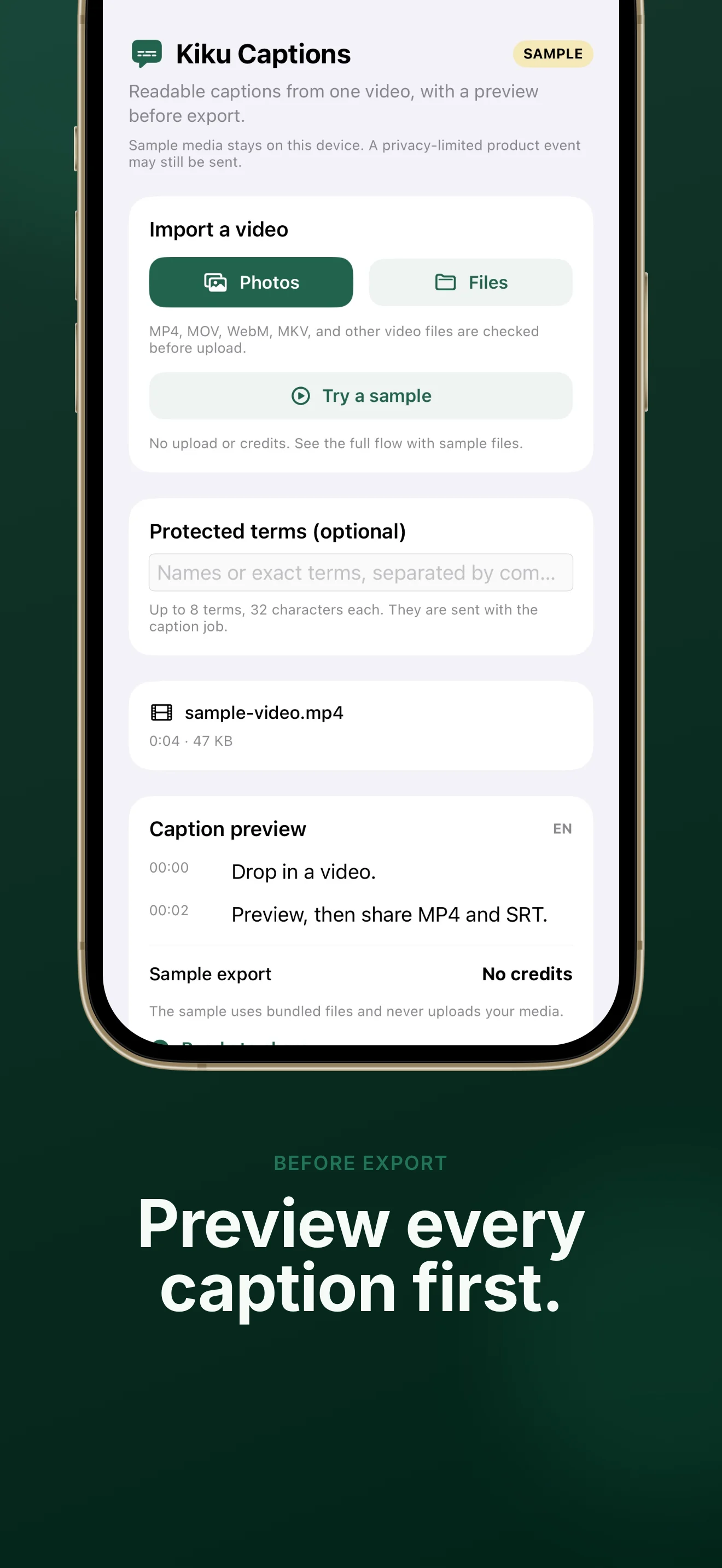
Import from Photos or Files, review readable timed captions, then share a captioned video and an editable subtitle file.
The iPhone app is awaiting App Review. The same caption job is live on the web now.
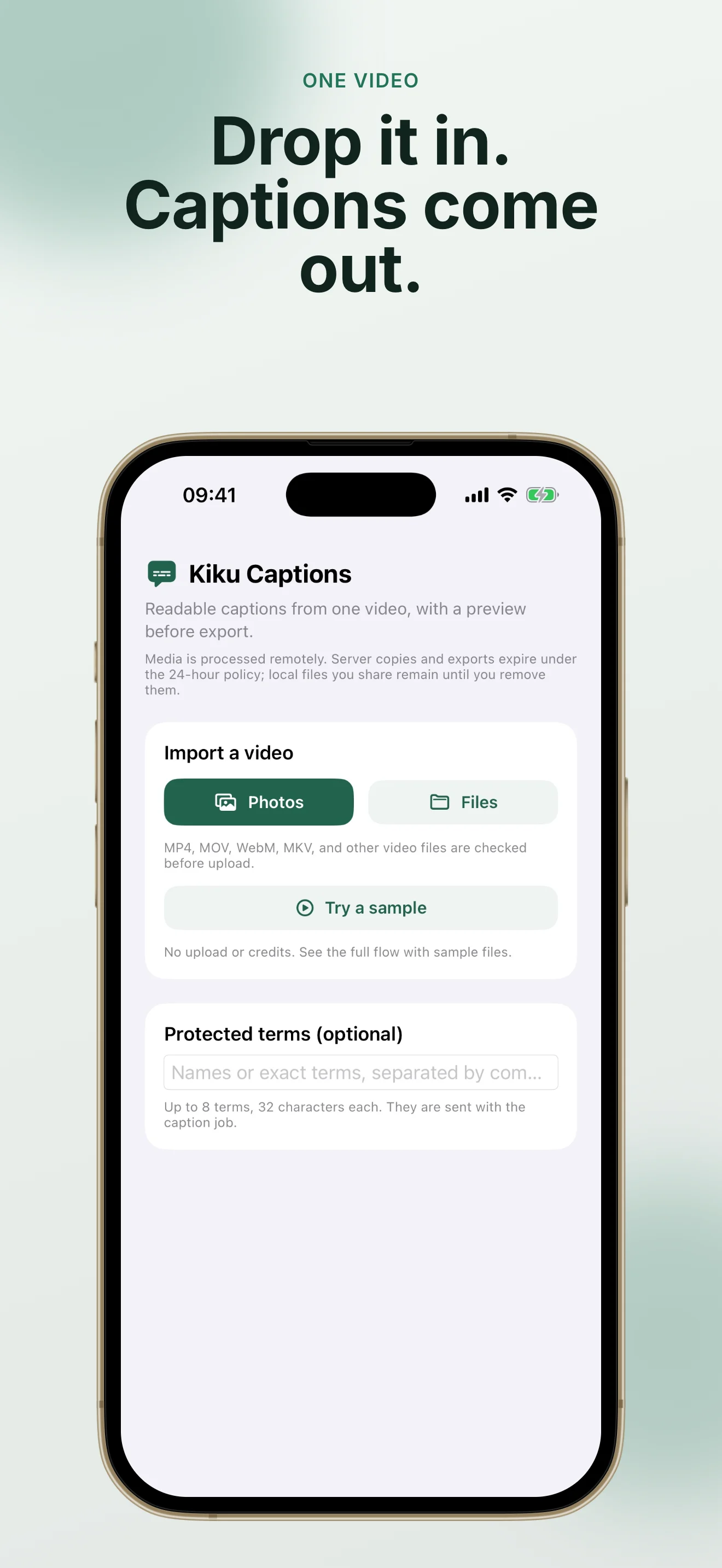
Progress, caption timing, the export quote, and both final files appear in one simple flow.
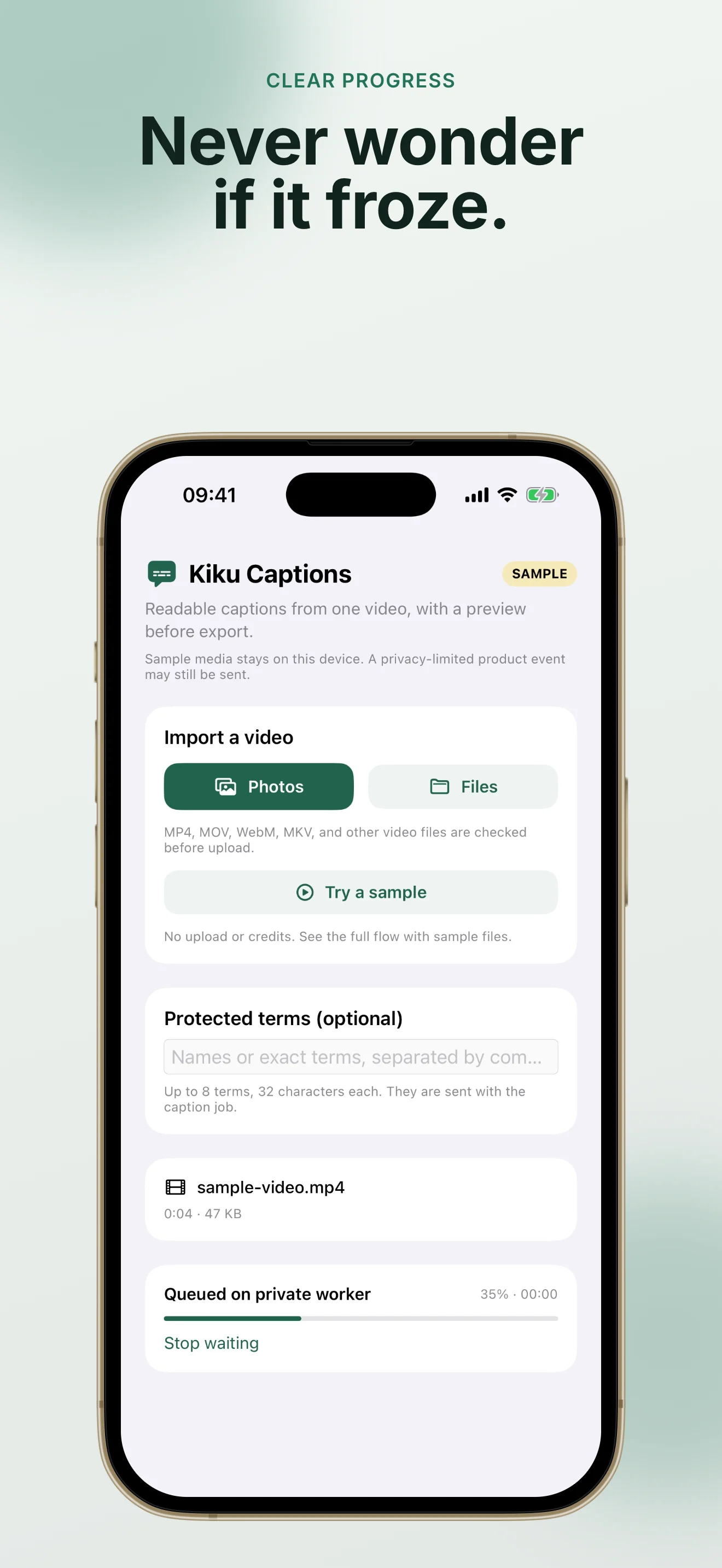
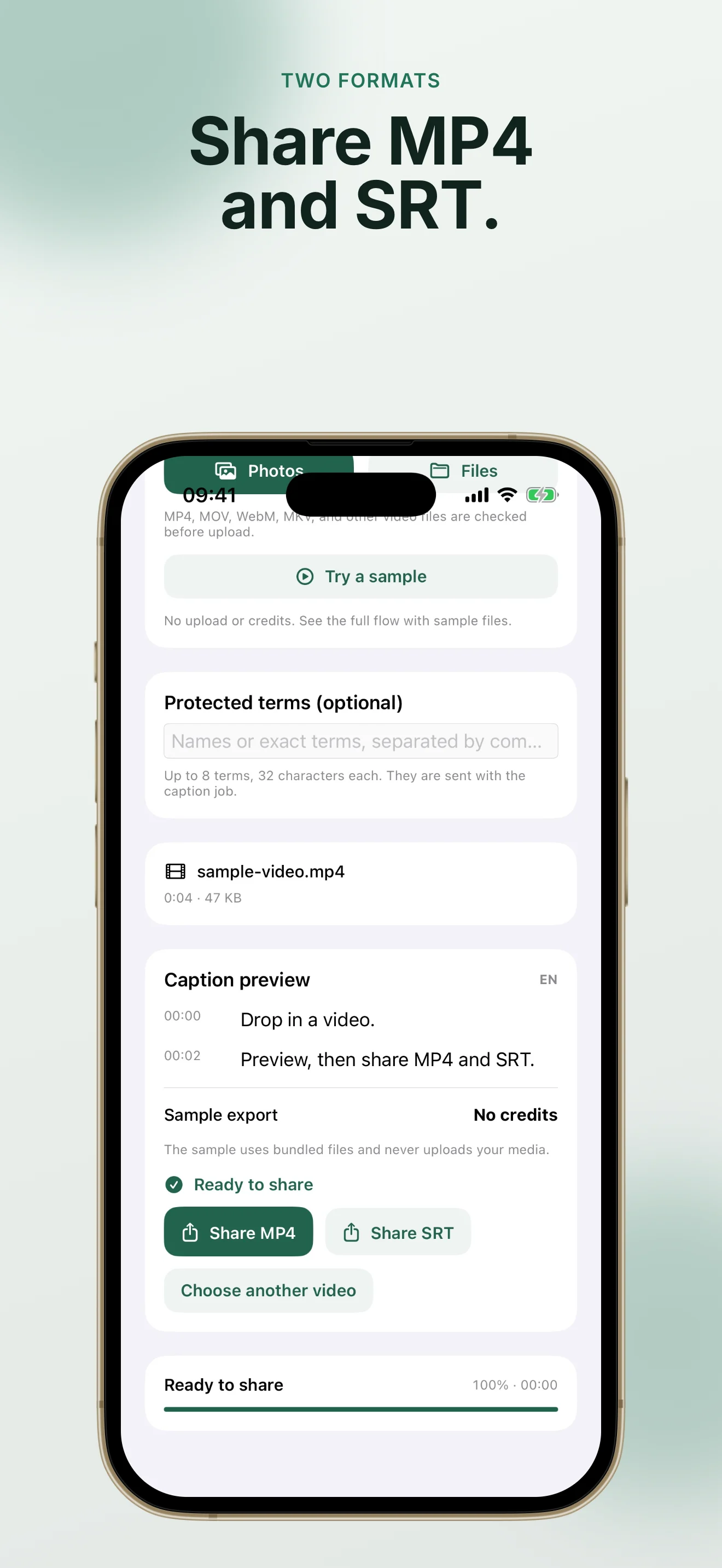
Yes. The built-in sample stays on the iPhone, uses no account or balance, and ends with valid sample MP4 and SRT files you can share.
You review timed captions first. The app then shows the exact export quote before it unlocks a captioned MP4 and editable SRT with sufficient existing KikuAI balance.
Your media is processed remotely. Server source, audio, preview, SRT, and MP4 expire automatically within 24 hours; files saved or shared on your iPhone remain under your control.