
Direct video
MP4 and other direct video sources found in players, page metadata, structured data, and links. Video appears first in the results.
Free Chrome and Brave extension
Page Media Downloader scans the current page, puts video first, then audio and photos, and lets you choose what to save. Nothing is uploaded to KikuAI.
Use it only for media you own or have permission to save. The extension does not bypass access controls or site restrictions.
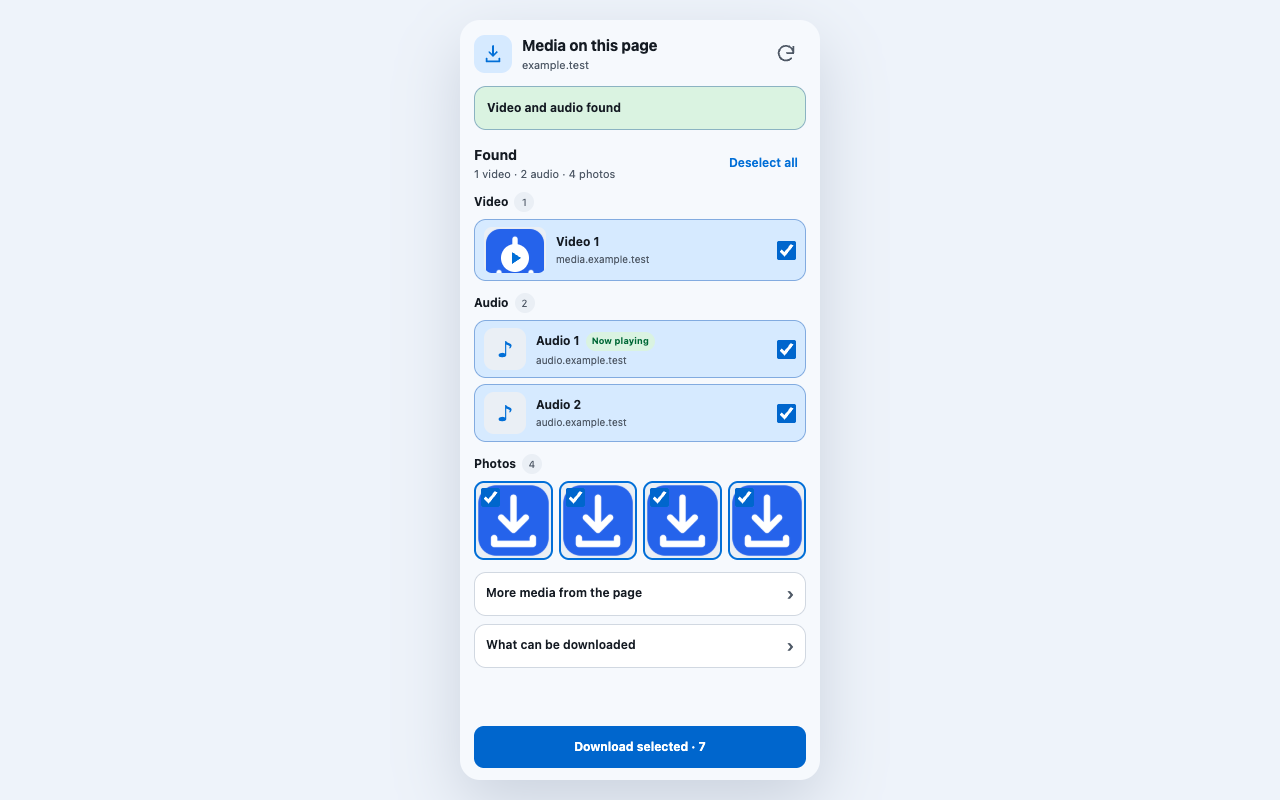
What it finds
MP4 and other direct video sources found in players, page metadata, structured data, and links. Video appears first in the results.
Common audio files and explicit audio sources. A track that is currently playing is lifted to the top of its group.
Images from page elements, responsive sources, CSS backgrounds, social metadata, structured data, and direct links.
Simple workflow
For Instagram video, open the individual post or Reel instead of staying on the profile grid.
The current page is scanned automatically. Reveal lazy-loaded media and scan again if needed.
Review video, audio, and photo results before starting the download.
Selected files go to a named folder inside Downloads.
Honest boundary
It can save a video when the page exposes a direct, unencrypted URL. A visible player alone does not guarantee that such a URL exists.
It does not reconstruct HLS or DASH segments, record a tab, intercept all network traffic, bypass DRM, unlock paid or private content, or support YouTube downloads.
Media inside inaccessible cross-origin frames or closed shadow roots may remain unavailable. Site changes can also affect extraction until the extension is updated.
Questions
Often, when the public post or Reel exposes a direct MP4. Open the individual post or Reel before scanning; an Instagram profile grid may expose only the cover image.
It works with media that the current page exposes as direct HTTP or HTTPS resources. It does not bypass DRM, logins, paywalls, private APIs, YouTube restrictions, or segmented HLS and DASH streams.
No. Scanning and selection happen in the browser. The extension has no KikuAI account, analytics, telemetry, or server upload. Media previews may still connect directly to the site that hosts the file.
Open the page that contains the actual player, start or reveal the media, then scan again. A blob URL is downloadable only when the page also exposes a direct unencrypted media URL.